Dimensions Usage

Modified on Tue, 28 Jul at 2:48 AM

Dimensions Overview

QQube uses dimensions to give measures context. A measure supplies the value to calculate, such as a sum, average, maximum, or count. A dimension supplies the category used to group that value.

For example, Line Sales Quantity by itself returns one overall total.

Measure without a dimension
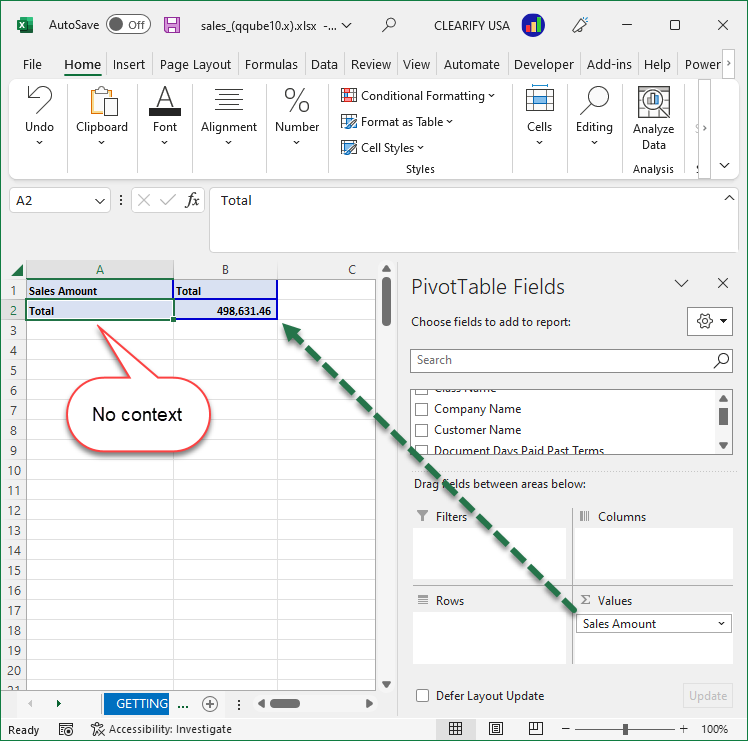
Line Sales Quantity displayed as one total without a dimension

Adding the Customer Name dimension gives the measure context, producing a separate sales quantity total for each customer.

Measure grouped by Customer Name
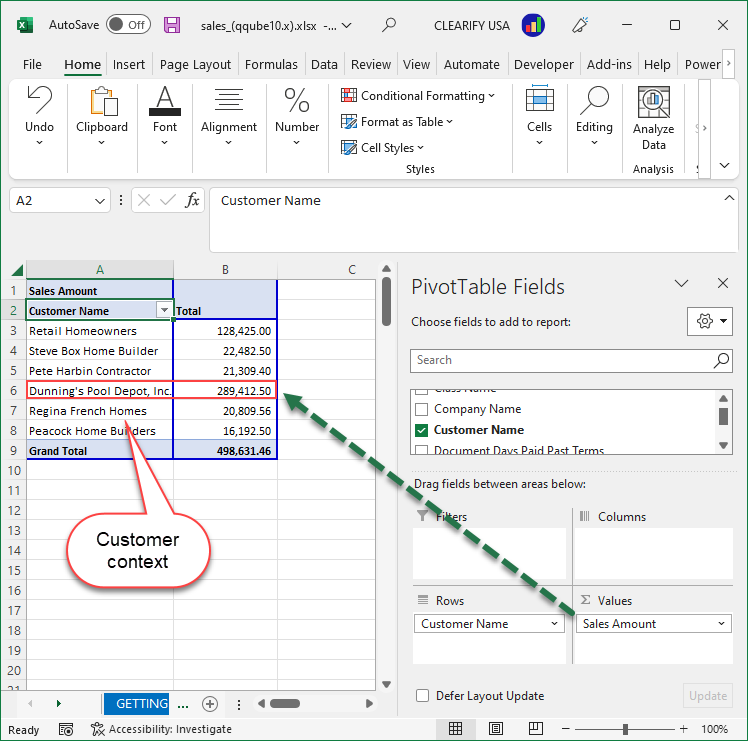
Line Sales Quantity grouped by the Customer Name dimension

Available QQube Dimensions

This reference shows each customer-facing dimension and the ready-made QQube data models in which it is included.

DimensionIncluded Data Models
Account
Account - Balance Sheet
Account - Cash Flow
Account - Cost of Goods Sold
Account - Expense Offset
Account - Fixed Asset
Account - Inventory
Account - Profit and Loss
Account - Sales
Account - Summary
Bin Location
Class
Company

All QQube data models

Currency
Customer
Customer Message
Customer Rep
Customer Sales Tax Code
Document Attributes
Line Attributes
Document Sales Tax Item
Employee
Employee HR
Geography
Item
Item Sales Tax Code
Job
Job Rep
Other Name
Payment Method
Payroll Item
Sales Rep
Sales Tax Item
Service Item
Ship Method
Site
Source Name
Template
Terms
UofM
Vehicle
Vendor

Was this article helpful?

That’s Great!

Thank you for your feedback

Sorry! We couldn't be helpful

Thank you for your feedback

Let us know how can we improve this article!

Select at least one of the reasons
CAPTCHA verification is required.

Feedback sent

We appreciate your effort and will try to fix the article